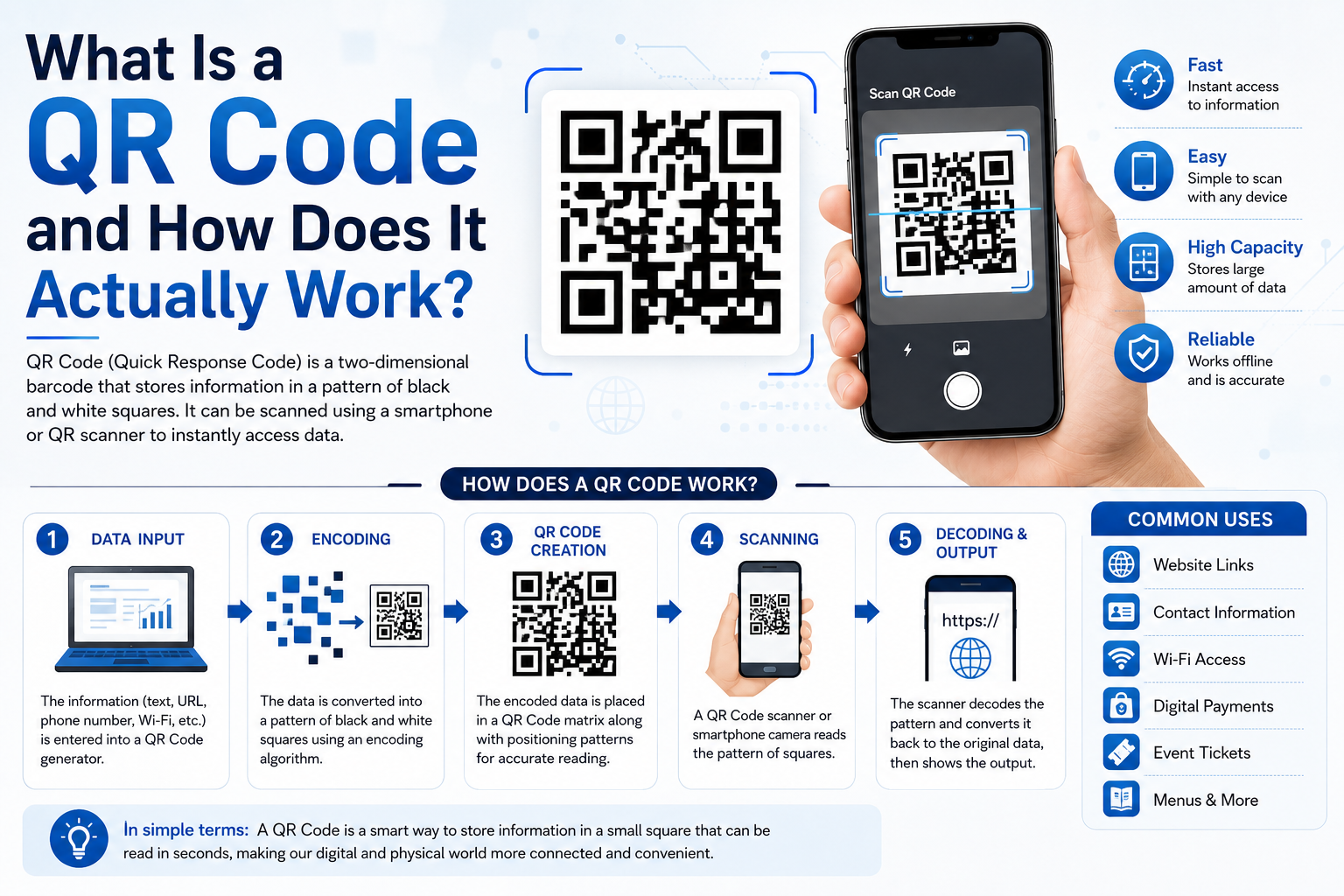
If you've eaten at a restaurant, boarded a flight, or paid for a coffee in the last few years, you've almost certainly scanned a QR code. That small black-and-white square has quietly become one of the most useful pieces of everyday technology
What Is a QR Code and How Does It Actually Work?
If you've eaten at a restaurant, boarded a flight, or paid for a coffee in the last few years, you've almost certainly scanned a QR code. That small black-and-white square has quietly become one of the most useful pieces of everyday technology — but most people have no idea how it actually works, or why it can hold so much more information than a regular barcode.
A Quick History
QR stands for "Quick Response." The format was invented in 1994 by a Japanese company called Denso Wave, originally to track automotive parts during manufacturing. Traditional barcodes could only store a small string of numbers read in one direction, which limited how much data they could hold. Denso Wave's engineers wanted something that could be scanned faster and store far more information — the result was a two-dimensional code that could be read in any orientation.
How QR Codes Store Data
A regular barcode is one-dimensional: it only encodes data along a single horizontal line, using the width of black bars and white spaces. A QR code is two-dimensional, which means it encodes data both horizontally and vertically across a grid of black and white squares called "modules." This grid structure is why a QR code can pack in roughly 100 times more information than a standard barcode of the same physical size.
Three of the four corners contain large square patterns. These are called finder patterns, and their job is to help a scanner's camera immediately recognize the image as a QR code and figure out its orientation, even if the photo is taken at an angle or upside down. There's also a smaller alignment pattern used for larger codes to correct for any warping or distortion in the image.
Built-In Error Correction
One of the most underrated features of QR codes is error correction. Using a mathematical technique called Reed-Solomon error correction, a QR code can still be scanned successfully even if up to 30% of it is damaged, dirty, or covered — which is exactly why brands are able to add logos into the middle of their QR codes without breaking them. There are four levels of error correction (L, M, Q, and H), and higher levels sacrifice a bit of storage capacity in exchange for more resilience against damage.
What Can a QR Code Actually Contain?
QR codes aren't limited to website links. Depending on how they're formatted, a single QR code can encode:
- A plain text message
- A website URL
- Contact details in vCard format, so scanning it saves a new contact to your phone
- Wi-Fi network credentials, so scanning connects a device automatically
- A pre-filled email or SMS message
- Geographic coordinates that open in a maps app
- Payment details, including UPI, PayPal, or crypto wallet addresses
This versatility is why QR codes show up everywhere from restaurant menus to product packaging to event tickets.
Static vs. Dynamic QR Codes
There are two broad categories worth understanding before you generate one. A static QR code has all of its data permanently baked into the pattern itself — once it's printed, the destination can never be changed. A dynamic QR code instead points to a short redirect link that you control, meaning you can update where it sends people at any time, even after it's already printed on thousands of flyers. Dynamic codes also make it possible to track scan analytics, since every scan passes through a server you control before reaching the final destination.
Why QR Codes Took Off Again
QR codes existed for over two decades before they became mainstream outside Japan. Their global explosion in the early 2020s was largely driven by touchless necessity — restaurants replacing physical menus, and businesses looking for contactless ways to share information. Smartphone camera apps also began scanning QR codes natively, removing the need to download a separate scanner app, which massively lowered the barrier to use.
Getting Started
If you want to create your own QR code, the format you choose matters. A QR code meant for a printed flyer that will never change (like a static text message) works fine as a static code. But if you're running a marketing campaign, putting a code on packaging, or want to know how many people actually scanned it, a dynamic QR code with analytics is almost always the better choice — you get the flexibility to fix mistakes and the data to prove the campaign worked.